I started this little project to send Data Over Audio at the beginning of the month. It’s been a crazy and fun ride learning about audio frequencies and various ways to protect the integrity of the underlying data. As I’ve now gotten the project to a point where I can transfer files, attempt to correct errors, detect failing parts of the file that are corrupted, and request those parts individually – it’s time to reflect on the goal of the project.
The original goal was to send 5 KB of data to another device without the need for a data connection through radio frequencies (WiFi, Cell Phone, Bluetooth, NFC) or a direct wire (local area network). The goal of 5 KB is that it is sufficient enough to send small files like those needed in my little Web Based 3D Model Editor. The 3D Models are composed of 1024 vertices with 3 bytes each. at 3 KB (uncompressed), that leaves enough room for metadata such as object names, author information, a unique id/guid, etc.
There are a few things left to wrap up.
- Use the web page on my phone to send the signal
- Use a YouTube video to send the signal
- Send a 5 KB file
- Find a frequency configuration that works at a quick speed
Currently, the 487 byte file takes around 30 seconds. I was originally hoping to play no more than 10 seconds of audio to transfer a file. Why 10 seconds? Again, I’m reflecting back to Second Life. The platform allows you to upload 10 seconds of data for a fee of 10 L$ (3¢ US). Their are techniques that can be applied to play multiple sound files together to create a longer sound.
7th Son
One project I created was a copy of the 7th Son podcast by J. C. Hutchins as a free promotional item to hand out. In mission #2 by the fictitious Ministry of Propaganda (Operation Burn, Baby, Burn), I was to make 5 or more copies of book 1, episode 1 and get rid of them. I broke the podcast up into 262 clips of 10 seconds each and created a script to play one clip after another. This was back in 2006 when sound clips were limited to no more than 10 seconds.

I just posted the source code and images of the original object (1.0 to 1.3), the vendor, and package it was delivered in on GitHub: lewismoten/7th-son.
While trying to get to the 10 second clips from Second Life, I found that they were stored as dsf files in the applications cache folder and had to be renamed with the ogg extension to be played as Ogg Vorbis. Each clip was 882 KB in size except the last one being 280 KB. Even saving as a 16 bit signed PCM Wave file was also 882 KB. Exporting as a variable MP3 file can get it down to 122 KB. This far exceeds the 5 KB limit. However… that is for raw audio.
I’ve developed a way to create custom sound effects recently that would only take a few bytes. It has 36 values that were drawn on a canvas of 50 pixels high. That could easily be saved as a 36 byte file. Describing how to create a wave form is much smaller than saving the wave form itself.

As for raw wave forms – I would need to reconsider how to transfer the files. Sure – they could be broken up and exchanged in smaller parts, but at 122 KB that would consist of 25 parts. Audio is not great for large file transfers. I remember waiting for an hour to download Wolfenstein one summer, and that was about a megabyte in size.
Speed
Let’s focus on speed today. The first thing to do is to bring our maximum data size down to 2^12 (4 KB). This lets us bring the max sequence number of our packets down to 8 bits (256 packets max) to reduce the overhead. The main focus on speed is going to be the frequency configuration.


For compatibility, lets bring our frequencies down to telephone range at 300 to 3,400 Hz. And rite out of the starting gate, we have an error.

Well don’t I feel silly. I was adding the unused header bits twice.
    // pad headers to take full bytes
    while(headers.length % 8 !== 0) {
      headers.push(0);
    }

    const unusedBitCount = getPacketizationHeaderUnusedBitCount();
    headers.push(...new Array(unusedBitCount).fill(0));
| FFT Power | FSK Padding | Multi-FSK Padding | Pairs | BPS | Ok |
|---|---|---|---|---|---|
| 8 | 2 | 0 | 4 | 133 | F |
| 9 | 1 | 1 | 12 | 400 | F |
| 9 | 1 | 2 | 9 | 300 | F |
| 9 | 1 | 3 | 7 | 233 | F |
| 9 | 1 | 4 | 6 | 200 | F |
| 9 | 2 | 0 | 9 | 300 | P6 |
| 9 | 2 | 1 | 6 | 200 | P |
| 9 | 3 | 0 | 6 | 200 | P2 |
| 9 | 4 | 0 | 4 | 133 | P3 |
| 10 | 1 | 0 | 36 | 1.1K | F |
| 10 | 1 | 1 | 24 | 800 | F |
| 10 | 2 | 0 | 18 | 600 | P3 |
| 10 | 2 | 1 | 12 | 400 | P |
| 11 | 5 | 5 | 4 | 133 | P |
| 11 | 1 | 3 | 29 | 966 | P,F,F,F |
| 11 | 1 | 2 | 36 | 1.1 K | F |
| 11 | 2 | 3 | 15 | 500 | P |
| 12 | 2 | 4 | 24 | 800 | F |
| 12 | 2 | 5 | 21 | 700 | F |
| 12 | 3 | 5 | 14 | 466 | F |
| 12 | 4 | 6 | 9 | 300 | F |
| 12 | 5 | 5 | 9 | 300 | F |
| 12 | 6 | 6 | 6 | 200 | F |
| 12 | 8 | 6 | 5 | 166 | F |
| 13 | 1 | 2 | 58 | 1.8K | F |
| 13 | 3 | 2 | 39 | 1.2K | F |
| 13 | 4 | 3 | 29 | 966 | F |
| 13 | 4 | 4 | 24 | 800 | F |
| 13 | 5 | 4 | 20 | 666 | F |
| 13 | 5 | 5 | 17 | 487 | F |
| 13 | 6 | 5 | 14 | 466 | F |
| 13 | 6 | 6 | 12 | 400 | F |
| 13 | 7 | 6 | 11 | 366 | F |
| 13 | 7 | 7 | 10 | 333 | F |
I found that I can only get the data to transfer when the FFT size is between 2^9 and 2^11. The best transfer speed was 966 bps, and that run didn’t need any packet re-transmissions. I’m curious if the 30ms sampling period could be having an effect on the analyzer. It’s going to affect overall speed, but let’s increase the sampling period to 40ms and see if it has any effect on the higher FFT.

| FFT Power | FSK Padding | Multi-FSK Padding | Pairs | BPS | OK |
|---|---|---|---|---|---|
| 12 | 1 | 4 | 48 | 1.1K | F |
| 12 | 1 | 5 | 41 | 1K | F |
| 12 | 1 | 6 | 36 | 900 | F |
| 12 | 1 | 7 | 32 | 800 | F |
| 12 | 2 | 0 | 72 | 1.7K | F |
| 12 | 2 | 2 | 36 | 900 | F |
| 12 | 2 | 3 | 29 | 725 | F |
| 12 | 2 | 4 | 24 | 600 | P,P,P2 |
| 12 | 3 | 0 | 48 | 1.1K | F |
| 12 | 3 | 1 | 32 | 800 | P2,F,F |
| 12 | 3 | 2 | 24 | 600 | P6 |
| 12 | 4 | 0 | 36 | 900 | F |
| 12 | 5 | 0 | 29 | 725 | F |
| 12 | 5 | 16 | 4 | 100 | F |
| 12 | 6 | 0 | 24 | 600 | F |
| 12 | 7 | 0 | 21 | 525 | F |
| 12 | 8 | 0 | 18 | 450 | F |
| 12 | 9 | 0 | 16 | 400 | P13-F? |
| 12 | 10 | 0 | 14 | 350 | F |
| 12 | 10 | 7 | 4 | 100 | F |
| 12 | 11 | 0 | 13 | 325 | F |
| 12 | 12 | 0 | 12 | 300 | F |
| 12 | 13 | 0 | 11 | 275 | F |
| 12 | 13 | 1 | 8 | 200 | F |
| 12 | 13 | 2 | 6 | 150 | F |
| 12 | 13 | 3 | 5 | 125 | F |
| 12 | 14 | 4 | 4 | 100 | F |
| 13 | 2 | 4 | 48 | 1.1K | F |
| 13 | 2 | 5 | 41 | 1K | F |
| 13 | 2 | 6 | 36 | 900 | F |
| 13 | 2 | 7 | 32 | 800 | F |
| 13 | 3 | 4 | 32 | 800 | F |
| 13 | 4 | 8 | 15 | 375 | F |
| 13 | 8 | 8 | 8 | 200 | F |
| 13 | 10 | 13 | 4 | 100 | F |
At 40ms, I was able to get FFT 2^12 working with fsk padding of 2, and multi-fsk padding of 4 fairly reliable at 600 baud. I couldn’t get FFT 2^13 working. We currently have a winner at 966 bps using FFT 2^11. Let’s try increasing the period further to see if we can get our higher fsk pairs working with the higher FFT powers.
| FFT Power | FSK Padding | Multi-FSK Padding | Pairs | BPS | OK |
|---|---|---|---|---|---|
| 12 | 1 | 4 | 48 | 960 | F |
| 12 | 2 | 3 | 29 | 580 | F |
| 12 | 2 | 4 | 24 | 480 | P3,P2 |
| 12 | 2 | 5 | 21 | 420 | P |
| 13 | 1 | 9 | 53 | 1K | F |
| 13 | 2 | 4 | 48 | 960 | F |
| 13 | 3 | 2 | 48 | 960 | F |
| 13 | 4 | 1 | 48 | 960 | F |
I couldn’t get FFT 13 to pass around 1K. FFT 12 is still hanging around padding 2-4 and 2-5 reliably. Let’s try 60 ms
| FFT Power | FSK Padding | Multi-FSK Padding | Pairs | BPS | OK |
|---|---|---|---|---|---|
| 12 | 1 | 3 | 58 | 966 | F |
| 12 | 2 | 0 | 72 | 1.1K | F |
| 12 | 2 | 1 | 48 | 800 | F |
| 12 | 3 | 0 | 48 | 800 | F |
| 13 | 1 | 8 | 58 | 966 | F |
| 13 | 2 | 3 | 58 | 966 | F |
| 13 | 3 | 1 | 64 | 1K | F |
| 13 | 4 | 0 | 72 | 1.1K | F |
At 60 ms, nothing is coming through. Shall we try 70ms?
| FFT Power | FSK Padding | Multi-FSK Padding | Pairs | BPS | OK |
|---|---|---|---|---|---|
| 12 | 1 | 2 | 72 | 1K | F |
| 12 | 2 | 0 | 72 | 1K | F |
| 13 | 1 | 6 | 72 | 1K | F |
| 13 | 2 | 2 | 72 | 1K | F |
| 14 | 1 | 14 | 72 | 1K | F |
| 14 | 2 | 6 | 72 | 1K | F |
| 15 | 1 | 20 | 105 | 1.4K | F |
| 15 | 2 | 15 | 68 | 971 | F |
| 15 | 3 | 9 | 70 | 999 | F |
I decided to take a look at what was going on with an individual FSK pair. I found that they were fairly rounded. They didn’t rise and drop sharply with higher FFT values. In addition, the amplitude wasn’t meeting the threshold for anything more than 2^12.


I decided to lower the threshold for FFT 14 to bring the high points in range. I found that 58% would do it.

I continued to try the old settings and found that changing the threshold doesn’t help. The threshold mainly tells me if we have a signal or not. It is not used to determine the values within each sample period. I also tried changing the duration further.
I think that for the telephone range of signals, we are limited to 966 baud using Multi-FSK pairs spread out evenly.
Well… I tried to go back and reconfirm. The test continues to fail. That lowers our highest baud to 500. This is heavy blow as our effective data rate is actually 222 baud at that speed. Bumping the packet size to 64 bytes will increase our data rate to 251 baud. That’s better, but I really want an effective rate at 450 or above. Taking off error correction gets me to 464, but the failed packet rate goes through the roof.
Ok, something fishy is going on. The 966 baud rate is working fine now.
What I’ve also notice throughout the tests are that packet zero fails most often. This packet is fairly important as it lets me know how much data to expect. From this, I can deduce how many packets there are in total. I may need to create a leader signal before sending the first packet.
Now that 966 is working, let’s see if we can decrease the sampling period.
| Sampling Period | BPS | Pass/Fail |
|---|---|---|
| 30ms | 966 | P,P,P,P,P |
| 29ms | 0.9K | F,P,P3,F,P,F |
| 28ms | 1K | P,P,P,P,P2,F,P3 |
| 27ms | 1K | P2,P,F,P,P2 |
| 26ms | 1K | F,P2,P21,F |
| 25ms | 1.1K | P3 |
| 24ms | 1.1K | P17 |
| 23ms | 1.2K | P19 |
| 20ms | 1.4K | F |
It appears that 30 milliseconds is the ideal sampling period. I was hoping to push it to have an baud rate of 1,000, but I am unable to get the tests to continue to pass reliably.
Let’s Talk
For now, we have been talking to ourselves. The computer listens to its own speakers. I want to see if I can get my phone to send the image to my computer, and vice versa.
I tried hosting it on github pages, but half the stuff didn’t load up. I published it on a website I own thats hosted on bluehost and couldn’t get anything to show up until I created a .htaccess file so that index.html will be loaded as the default page:
DirectoryIndex index.html
Once I got the index page loading, I ran into the same issues that I saw on GitHub.
- https://lewismoten.github.io/data-over-audio/
- https://www.data-over-audio.regaldragondanceparty.com/
It turned out that I needed to provide the .js file extension to all of my import statements. Apparently the Vite web server was taking care of this for me.
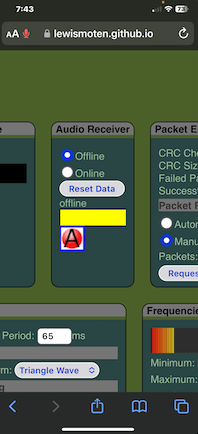
The iPhone isn’t generating any sounds. It’s listening, but it doesn’t appear to receive anything. I tried sending 16 bytes of text instead of an image, and I’m running into the same problem. Let’s see if we can address why I can hear the phone making any sounds.
The iPhone is making sounds. Apparently I still had the output set to Analyzer on the iPhone instead of speakers. The laptop isn’t picking up the signals from the iPhone, and the iPhone isn’t picking up signals from the laptop. This isn’t good. I’m now going into 1 FSK pair just to get text to transfer.
iPhone Safari Refresh
Apparently refreshing the page on an iPhone doesn’t refresh all of its resources. I found a hack to do it though.
- Refresh (no new content)
- Switch to airplane mode
- Refresh the page (fails)
- Switch off airplane mode
- Refresh the page (new content)
Talk about going around the barn to get to the front door.
Anyhow, let’s see what we can do.
What do you know? I got it! I was able to send 14 bytes of “😇êÀ0y” from my iPhones speaker phone to my laptops microphone at a whopping 10 baud (1 baud effectively) in two minutes. As usual, the first packet failed – but I still got the message.
Here are the settings that I got to work.
| Category | Field | Setting | Info |
|---|---|---|---|
| Signal | Sampling Period | 100ms | |
| Signal | Amplitude Threshold | 25% | |
| Frequencies | Minimum Frequency | 300 Hz | |
| Frequencies | Maximum Frequency | 3,400 Hz | |
| Frequencies | FFT Size | 2^11 | |
| Frequencies | FSK Padding | 20 | |
| Frequencies | Multi-FSK Padding | 5 | |
| Frequencies | FSK Pairs Available | 1 | |
| Available FSK Pairs | 0: 300 Hz / 730.6 Hz | Yes | |
| Packetization | Max Data Size | 2^12 | 4 Kb |
| Packetization | CRC on Size | CRC-8 | |
| Packetization | CRC on Data | CRC-16 | |
| Packetization | Packet Size | 2^3 | 8 bytes |
| Packetization | Packet CRC | CRC-8 | |
| Packetization | Sequence Numbers | 2^8 | 256 |
| Packetization | Error Correction | Yes | |
| Packetization | Interleaving | Yes |
The things that I find awkward is having to press “Send” on my phone, and then flipping it to face the microphone immediately. The signal amplitude is very low.
The iPhone hasn’t yet picked up the signal from the laptop. I think I figured out why. I noticed that although the laptop and iPhone have the same configuration, the Hz on each one is different!


It’s a wonder that the laptop was able to receive anything. The question is – what’s the difference between the two? I thought maybe the sample rate was different – but that would have affected the frequency resolution. Both devices show a resolution of 23.4 Hz.


Well… something is off. Not only is the sample rate different between the two, but the frequency resolution on the laptop doesn’t match whats reported in both the Frequencies and Audio Spectrum panels. I’m a bit taken aback by the sample rate on the iPhone. Why does it need access to such high frequencies? I suppose the frequency resolution would be much finer for lower FFT. I think for the creating the Multi-FSK pairs, I need to have a fixed limit of 44.1 kHz when creating the pairs rather than depend on the audio context’s sample rate.
Well… I got a lot of fixes in. The iPhone picks up signals now, but everything fails. On top of that, I realized that the sampling rate of 48 kHz is actually bad in regards to frequency buckets. This whole idea about FSK Padding and Multi-FSK Padding is built around the frequency resolution. Although my paddings are fairly high (20 and 5), the whole benefit of using them to prevent bleed over from other frequencies doesn’t work as well with higher resolutions.
With the difficulty of the two devices to talk to each other with just one FSK pair has me considering if this was all pointless.
It turns out that I forgot to lower my sampling rate to 100 milliseconds on both devices after making the changes. The iPhone successfully picked up the signal.

Now we are in a race to find the quickest sample period.
| Sample Period Milliseconds | OK |
|---|---|
| 100 | P |
| 75 | P,P,P |
| 65 | P,P,P |
| 60 | P2,P2,P,P |
| 55 | P,P2,P,P2 |
| 50 | F,?,?,P2,P4 |
| 30 | F |
65 milliseconds appears to be reliable. I could push it and see where it fails before reaching 60 milliseconds, but the tests are fairly long. Let’s see if we can pump up the number of FSK pairs to send a signal.
| FSK Padding | Multi-FSK Padding | Channels | OK |
|---|---|---|---|
| 17 | 5 | 2 | P |
| 9 | 5 | 3 | P3,P,P3,P,P |
| 6 | 5 | 4 | P,P,P |
| 6 | 3 | 5 | P2,P,P,P |
| 4 | 2 | 9 | P2 |
| 4 | 1 | 12 | F,F,F |
| 4 | 0 | 18 | F,F,F,F |
| 3 | 2 | 12 | F,P,P,P |
| 2 | 2 | 18 | P2,P,P2,P,P |
| 1 | 2 | 36 | F,F,F |
| 2 | 1 | 24 | P,P5,P4,P,P |
I thought it was time to try sending binary files rather than short bursts of text since our baud rate was improving. After a few attempts, I was able to get the image transferred from the Mac to the iPhone at 184 baud. The iPhone doesn’t show the GIF as it loads. You either see the image, or a broken image indicator.

| Setting | Value |
|---|---|
| Frequency | 300 to 3,400 Hz |
| FFT | 2^11 |
| FSK Padding | 3 |
| Multi-FSK Padding | 2 |
| Sampling Period | 65 ms |
| Amplitude Threshold | 30% |
| Timeout | 1000 ms |
| Error Correction | Yes |
| Interleaving | Yes |
| Speed | 184 bps |
| Data Speed | 67 bps |
The first packet has been a thorn in my side. Not just packet 0 – but any packet that is broadcasted first has a high rate of failing. As a result, I’ve added a feature to broadcast the first packet twice to ensure it gets picked up. This should help with the automatic repeat request option that falls into a loop to keep asking for a single packet.

I’ve fixed a few more things in how the CRC is detected as being available or not. When requesting needed packets and we don’t trust the size yet, I take the highest failing packet number and build a sequential list of missing packets. I only list the first 10 missing packets for an untrusted size – this is because a corrupted packet may come with a sequence number of 12,384 when there are only 12 packets. If the size is trusted (has a passing crc code), then I’ll list up to 50. If the size is untrusted, and the first packet was successful, I remove it from the list of successful packets and move it to failed packets. A failed CRC code means the packet is likely corrupted.
Wrap Up
With all of that, I think I’m wrapping up the experiment in data transfer over audio.
- I can send data as sound waves to/from the same device
- I can send data as sound waves between two devices
- 2001 MacBook Pro (Apple M1 Pro) with Sonoma 14.2.1
- iPhone Xs Max with iOS 17.4.1
- The sample period is more than double
- The microphone doesn’t pick up amplitude as well
- The speakers are not as loud as the laptop
- The data transfer is slow.
- 138 bits per second (300 Hz to 3.4 kHz) for telephone frequencies
- 538 bits per second (300 Hz to 19 kHz) for human hearing frequencies
- Data transfer over sound waves in an open environment (no matter how quite the room is), is susceptible to interference from noise.
- Microphones must have to have many options turned off to get a raw signal
- Auto Gain Control
- Echo Cancellation
- Noise Suppression
- Local Audio Playback Suppression
- Voice Isolation
- Different devices have different sampling rates, affecting the frequency resolution bin when demodulating an audio signal back into its binary form.
- Current browser limitations in most environments prevent the ability to analyze frequencies to collect samples in less than 3 milliseconds.
- Collecting a large set of samples into memory has an effect on how often the interval timer will run
- Time taken to draw graphs on a canvas element will effect how often the interval timer will run
- The Fast Fourier Transform (FFT) size has an effect on how quickly a frequency can be identified. Smaller sizes can identify frequencies faster, but limits the total number of unique frequency ranges that can identified.
- Low frequencies often have the most trouble being reliable.
- It takes 50 milliseconds for a 20 Hz sound wave to fully cycle. It is unknown how long the analyser actually takes to identify lower frequencies (maybe quicker?). Since we need frequencies immediately in our complex signals, sticking to higher frequencies is ideal so that the analyser can identify them faster.
- The sampling rate on different devices affects the size of the FFT ranges.
- Data is sent using Frequency Shift-Keying (FSK). One frequency represents a
0and another frequency represents a1. The frequencies are close to each other to prevent other frequencies from interfering with them. The receiver demodulates the signal by determining which frequency had the higher amplitude during a sample period. - Data is sent using Multi-Frequency Shift-Keying (MFSK) where multiple sets of binary states are sent at the same but, but on other sets of frequencies to achieve a higher data rate. Each FSK set is spread apart from others to prevent interference on each others frequencies.
- The frequency range is capped at 44.1 kHz, giving a Nyquist frequency of 22.05 kHz.
- Devices with different sampling rates should create the same set of MFSK sets available.
- The padding between FSK/MFSK for the analyser would not be lined up appropriately for devices with higher sample rates. If you have low FSK/MFSK padding numbers, you risk having two frequencies within the same frequency bin.
- Data can be repaired by the receiver with Hamming Code Error Correction, so long as the the error rate is below 14%.
- Adding three parity bits to every four bits of data, this error correction results in a 75% overhead. Due to the high risk of noise, error correction of some sort is a necessity. Error detection alone is not enough.
- Interleaving is applied to prevent noise or a set of unstable frequencies from interfering with error correction. It fragments the data being transmitted to be spread out over a wider set of frequencies so that the effect of errors within one “block” of self-correcting code is minimized.
- Errors can be detected using Cyclic Redundancy Check (CRC) codes. The receiver runs their own check against the data received and confirms that the code matches what the sender provided.
- Packetization allows the data to be broken down into small packets that may be sent in any order, at any time
- Any packet that fails to transfer is not applied to the final data.
- An individual packet may be sent more than once to fix part of a data transfer that failed.
- The data may be sent in its entirety more than once to fix parts of a previous data transfer that failed.
- Packetization comes with a cost of overhead to include headers that specify the sequence number, CRC code, and length of the data within the packet. Larger packet sizes reduce the overhead but may increase the time it takes to receive the data in its entirety depending on the rate of errors that are unable to be repaired by the receiver.
- The initial packet often fails, so an option is provided to send it twice. The failure is often within the first sample period.
- Various parts of the packetization and frequencies chosen may be configured by the sender and receiver in an effort to improve data integrity or speed.
With this, the project has come to a close. It was a fun and challenging experiment.

One response to “End of Sound”
[…] of data transfer over multi-frequency to prevent the impact of noise bursts over this past summer experimenting with the Web Audio API, I can understand how the quality of his line affected his data […]