The encryption keys are a vital part of my application. Without them, the application cases to function. Configuration information can’t be read, secrets can not be decrypted, the vault can’t be accessed, and data within the vault can’t be recovered.
Usually you would store encryption keys in some kind of key management service (KMS). Internally, Hostinger doesn’t offer any key management services. It’s been my experience that most shared web hosting providers don’t. I may be able to work with a third party service, but that means money. The best solution I could come up with was to generate the keys myself and store them on the file system where they couldn’t be accessed by HTTP requests. In addition, I added in the ability to rotate the keys and all data associated with them. Eventually I need to work in the bit where I can safely destroy keys that are no longer in use.
My keys are stored in one place. Although Hostinger offers a backup of the webservers files, I’d like to have a separate backup off-site. The keys are critical to my applications functionality, as well as a security risk.


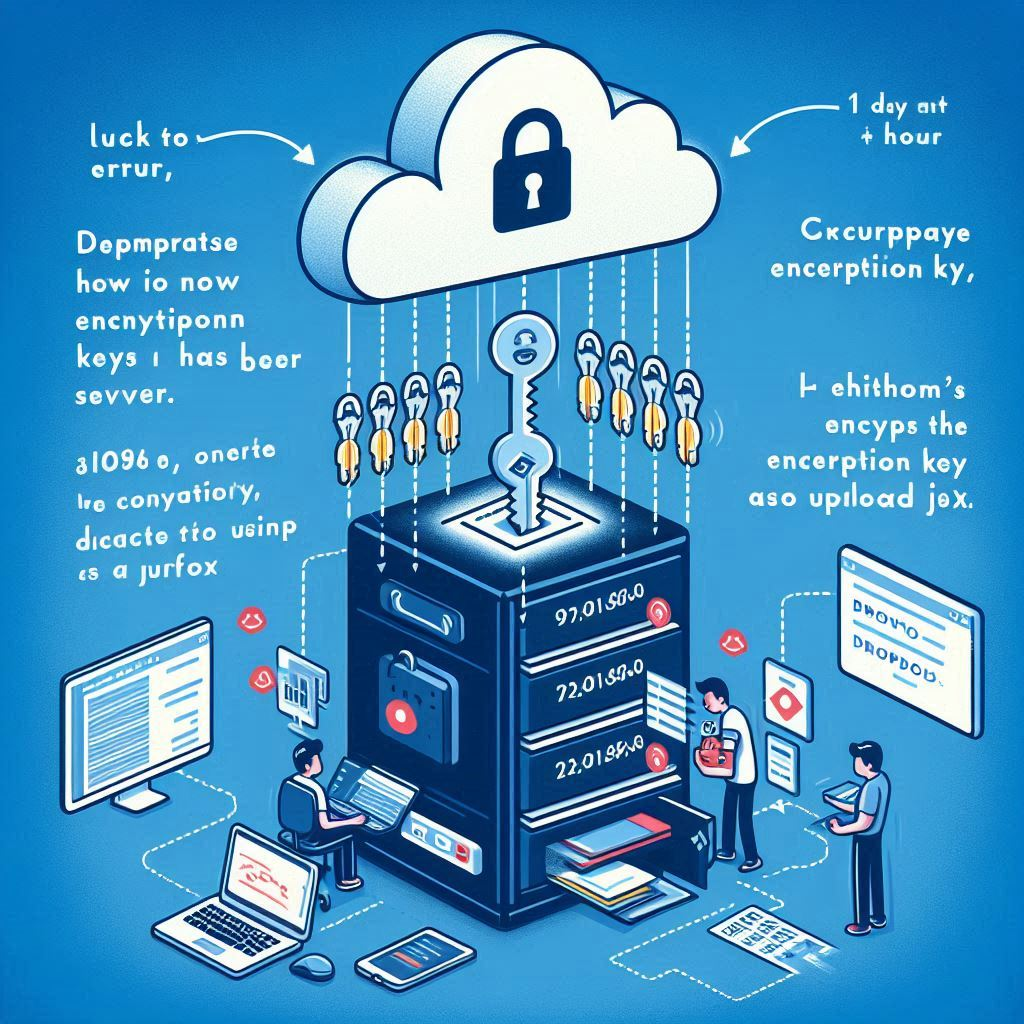
Key Backup Prompt: Microsoft Designer
demonstrate how multiple encryption keys can be backed up on a separate server. A cron job runs once an hour to see if a new encryption key has recently been generated. It then encrypts the encryption key as JSON, and uploads it to dropbox.
This is probably the dumbest thing to do, but I need a way to automate the process of retrieving the keys. FTP isn’t exactly a secure way to transfer data. I’m left with opening up an attack vector by exposing the keys on the web server. The data would be guarded by account credentials, transferred over HTTPS, and the keys themselves can be encrypted so that anyone that gets ahold of the keys is unable to decrypt them without a key.
I’ve created a simple endpoint that can download the keys in batches. Initially I wanted to compress the files into an archive using PharData or ZipArchive. The compression wouldn’t have any benefit since the cryptographic randomness of encryption keys are intentionally removing possible patterns that the algorithms could take advantage of. On top of that, filenames are not compressed within archives. The only remaining benefit would be a single file that could be transferred easily between file systems. My api-server primarily responds with JSON, which is already a portable format. In addition to transferring the files, I also needed to reference the name of the particular key that could decrypt the data, and the server that the key belongs to. Informational data also included the start/end timestamps included within the data and how many keys were available to give me an idea if I should request an additional batch of data.

Well… I’ve now got a general idea of the format to export the data. As an added measure, I’ve setup the files to be in descending order so that the first batch always returns the latest files.
I keep thinking about this attack vector. How can I mitigate the security risk? What if – instead of displaying data, the server sends the data on my behalf to cloud storage off site? This way, anyone who accesses the endpoint, regardless of authorization or not, never sees any data – encrypted or not, the data isn’t exposed over HTTP.
I started out by looking over the Dropbox API and created a new application. I went ahead and setup the scope to allow files to be written. Since I am not setting this up for individual users, I went ahead and generated an application token for myself and added it to the GitHub secrets. I also started experiment with their Dropbox API Explorer to upload files with my new token and found a new file in my dropbox. I then went to work wiring up my application to send a JSON object to dropbox. I had a few hiccups, but eventually everything worked out.
Save JSON File to Dropbox via PHP
function save_json_to_dropbox(string $json)
{
    $stream = fopen('php://memory', 'r');
    fwrite($stream, $json);

    $token = getenv('SECRETS_EXPORT_TOKEN');
    $url = 'https://content.dropboxapi.com/2/files/upload';

    $date = date('Y/m/d');
    $time = time();
    $path = "/keys/$date-$time.json";
    $args = [
        'mode' => 'add',
        'path' => $path,
    ];
    $headers = array(
        "Authorization: Bearer $token",
        "Content-Type: application/octet-stream",
        "Dropbox-API-Arg: " . json_encode($args),
    );
    $ch = curl_init($url);
    curl_setopt($ch, CURLOPT_HTTPHEADER, $headers);
    curl_setopt($ch, CURLOPT_POST, true);
    curl_setopt($ch, CURLOPT_INFILE, $stream);
    curl_setopt($ch, CURLOPT_INFILESIZE, strlen($json));
    curl_setopt($ch, CURLOPT_RETURNTRANSFER, true);
    $response = curl_exec($ch);
    $error = curl_error($ch);
    curl_close($ch);
    if ($error) {
        Show::error($error);
        exit;
    } else {
        $api_response = json_decode($response);
        if (isset($api_response->error)) {
            Show::error("API Error: " . $api_response->error->message);
            exit;
        }
        if ($api_response->path_lower !== $path) {
            Show::error("Unexpected API response");
            exit;
        }
    }
}
It was a bit of a thrill seeing folders and files appearing in my dropbox account. I decided on a naming scheme that would make it easier to find backups by date with the standard /Year/Month/Day folder scheme and avoid being overwhelmed by a large number of files in one folder. I also added a timestamp to the end after the date just so that I could tell which files were newer for a given date.
I considered storing the keys themselves as individual files, but they wouldn’t have been encrypted. The JSON format allows the binary data to be encrypted along with a reference to what key was used to encrypt the data.
Thinking more on this issue, I could change things around so that rather than creating new files for backups each day, I could save an individual JSON file for each key. This way the key export could request a list of files already present in dropbox, and only upload keys that are not yet present. The contents of the keys don’t change. Rather than /keys/2024/06/18-1234567890123.json, I could just save /keys/1234567890123-aes-256-key.json. The contents would be similar to:
{
  "encryption_key": "1234567890123-aes-256-key.bin",
  "server": "dev-api.periplux.io",
  "data": "aaaaaaaaaaaaaaaaaaaaaaaaaaaaaaaaa=="
}
After all, if I’m looking for a key, it’s probably going to be one specific key that I’m hunting for. I also need to make sure that I separate the keys for the dev-api and api servers so that they don’t overwrite each others keys.
So, I’ve got some new steps to carry out
- Request a list of file names from dropbox for the given servers keys
- Look at the list of keys on the servers file system
- Compile a list of keys that are not on dropbox
- Create JSON files for each one
- Upload one at a time
Given that I have 55 keys at the moment, I could add in the capability to only upload one key in the given request so that I don’t break any rules for uploading a ton of files at once.
Looking over the File List Folder API, it looks like they may impose limits on the number of files they will list. Rather than making a ton of calls to the file list folder api to build up a list of files, lets just create a synchronization file locally to track the most recent file uploaded. Our keys are generated with timestamps in the name, so this is fairly strait forward. We just have a file last-file-sent-to-dropbox.txt.
Okay… I’ve got everything worked out. New keys are exported to Dropbox once a cron job hits the URL. Keys are exported individually and encrypted. The person who accesses the URL does not see any of the encryption.
PHP: Backup Keys to Dropbox
<?php
require_once "../common/Secrets.php";
require_once "../common/Show.php";
require_once '../common/PostedJson.php';
require_once '../common/HTTP_STATUS.php';
require_once 'common/OtpGuard.php';

function recall_last_file_sent_to_dropbox(string $path)
{
    $filename = $path . DIRECTORY_SEPARATOR . 'last-file-sent-to-dropbox.txt';
    if (file_exists($filename)) {
        return file_get_contents($filename);
    }
    return false;
}
function remember_file_sent_to_dropbox(string $path, string $file)
{
    $filename = $path . DIRECTORY_SEPARATOR . 'last-file-sent-to-dropbox.txt';
    return file_put_contents($filename, $file);
}
function get_next_file(string $path, string $last_file)
{
    if (empty($path)) {
        Show::error("Path is empty.");
        exit;
    }
    if (!is_dir($path)) {
        Show::error("Path is not a directory.");
        exit;
    }
    $files = scandir($path);
    if ($files === false) {
        Show::error("Failed to read files");
        exit;
    }
    if ($last_file === end($files)) {
        return false;
    }
    if (count($files) <= 2) {
        Show::error("Empty");
        exit;
    }
    $files = array_values(array_filter($files, function ($file) use ($path) {
        if (is_dir($path . DIRECTORY_SEPARATOR . $file)) {
            return false;
        }
        return preg_match('/^\d{10}_/', $file) === 1;
    }));
    if (empty($files)) {
        Show::error("Encryption keys missing");
        exit;
    }

    if ($last_file === false) {
        return $files[0];
    }
    if ($last_file === end($files)) {
        return false;
    }
    $index = array_search($last_file, $files);
    if ($index === false) {
        return $files[0];
    }
    return $files[$index + 1];
}
function encrypt_as_json(string $path, string $file)
{
    $encryption_key_path = getenv(Secrets::key_path_key());
    $encryption_key = basename($encryption_key_path);
    $server = $_SERVER['SERVER_NAME'];
    $contents = file_get_contents($path . DIRECTORY_SEPARATOR . $file);
    $encrypted = Secrets::encryptValue($contents);
    $timestamp = explode("_", $file, 2)[0];
    $date_format = "Y-m-d H:i:s";
    $created_at = date($date_format, $timestamp);
    $backup_at = date($date_format, time());
    $data = [
        'server' => $server,
        'encrypted_by' => $encryption_key,
        'created_at' => $created_at,
        'backup_at' => $backup_at,
        'file_name' => $file,
        'encrypted' => $encrypted,
    ];
    return json_encode($data, JSON_PRETTY_PRINT);
}
function send_json_to_dropbox(string $json, string $file)
{
    $server = $_SERVER['SERVER_NAME'];
    $date = date('Y/m/d');
    $time = time();
    $pos = strrpos($file, '.');
    if ($pos !== false) {
        $name = substr($file, 0, $pos);
    } else {
        $name = $file;
    }
    $path = "/$server/keys/$name.json";
    $args = [
        'mode' => [".tag" => "overwrite"],
        'path' => $path,
    ];
    $token = getenv('SECRETS_EXPORT_TOKEN');
    $headers = array(
        "Authorization: Bearer $token",
        "Content-Type: application/octet-stream",
        "Dropbox-API-Arg: " . json_encode($args),
    );

    $stream = fopen('php://memory', 'r');
    fwrite($stream, $json);

    $url = 'https://content.dropboxapi.com/2/files/upload';

    $ch = curl_init($url);
    curl_setopt($ch, CURLOPT_HTTPHEADER, $headers);
    curl_setopt($ch, CURLOPT_POST, true);
    curl_setopt($ch, CURLOPT_POSTFIELDS, $json);
    // curl_setopt($ch, CURLOPT_POSTFIELDSIZE, strlen($json));
    curl_setopt($ch, CURLOPT_RETURNTRANSFER, true);
    $response = curl_exec($ch);
    $error = curl_error($ch);
    curl_close($ch);
    if ($error) {
        Show::error($error);
        exit;
    } else {
        $api_response = json_decode($response);
        if ($api_response === false || $api_response === null) {
            Show::error($response);
            exit;
        }
        if (isset($api_response->error)) {
            if (isset($api_response->error->message)) {
                Show::error($api_response->error->message);
            } else if (isset($api_response->error->reason)) {
                Show::error($api_response->error->reason);
            } else {
                Show::error($api_response->error);
            }
            exit;
        }
        if ($api_response->size === 0) {
            Show::error("File created without content");
            exit;
        }
    }
}

function main()
{
    $posted = new PostedJson(2);
    $path = Secrets::key_dir();
    if (empty($path) || !is_dir($path)) {
        Show::error("Encryption not configured");
        exit;
    }

    $last_file = recall_last_file_sent_to_dropbox($path);

    $next_file = get_next_file($path, $last_file);

    if (!$next_file) {
        Show::message("Nothing new");
        exit;
    }

    $json = encrypt_as_json($path, $next_file);

    send_json_to_dropbox($json, $next_file);

    remember_file_sent_to_dropbox($path, $next_file);

    Show::message("Success");
}
try {
    if ($_SERVER['REQUEST_METHOD'] === 'POST') {
        main();
        exit;
    }
} catch (Exception $e) {
    Show::error("An unexpected error has occurred. " . $e->getMessage());
    exit;
}
?>
<?php require "common/OtpInput.php";?>
<button id="submit">Export</button><br />
<hr>
<textarea id="result" cols="60" rows="10"></textarea><br />
<script>
document.getElementById('submit').addEventListener('click', async () => {
  const otp = document.getElementById('otp')?.value;
  try {
      const response = await fetch(window.location.href, {
          method: 'POST',
          headers: {
              'Content-Type': 'application/json'
          },
          body: JSON.stringify({otp})
      });
      const o = await response.json();
      if(response.ok) {
        document.getElementById('result').value = JSON.stringify(o, null, 2);
      } else {
        if(typeof o.error === "string") {
            document.getElementById('result').value = o.error;
        } else {
            document.getElementById('result').value = JSON.stringify(o.error, null, 2);
        }
      }
  } catch (error) {
      document.getElementById('result').value = 'Error: ' + error;
  }
  });
</script>
What’s next?
Recovery. I need to be able to import the keys back into the website. What if the key used to encrypt the file isn’t on the website yet? The process also needs to create a queue, such as a separate folder for the files to wait patiently until they can be decrypted.
But wait… what if the encrypted backup files are all that I have? I think I need to rethink this problem. I need to have a separate backup key to encrypt the files. I can use the base32 encoding used in 2FA to encode the backup key and store it within my own password manager as printable ascii characters, as well as a key in the secrets manager. On top of that, the dropbox api token should probably be stored in the secrets manager as well. If I ever want to change the backup password, I can automate a process to delete the last-file-sent-to-dropbox.txt file. That way, the next time the API is called, it will encrypt the keys again, but with the new backup key.
| Api | Backup Key | Dropbox |
|---|---|---|
| Generate Key | ||
| Generate Backup Key | Created | |
| Backup Key (remember last key backed up) | Encrypt | Stored |
| ** All Keys Lost ** | ||
| Restore Key | Decrypt | Retrieved |
| Generate Backup Key (forget last key backed up) | Replaced |
Well… it’s getting late. I need to get some rest. Let’s recap what we did today.
- Paginated files in a directory to return no more than 100 files at a time
- Worked with ZipArchive and PharData to create an archive of files
- Evaluated security risks and came up with an alternative solution
- Create a Dropbox App
- Used curl to make web requests
- Uploaded files to Dropbox using their API
- Uploaded strings as file contents to Dropbox
- Maintain a local state of whats been uploaded to dropbox so that only new files are uploaded, and only one during each request.
- Evaluated recovery scenarios
- Worked on a plan to restore keys
As a side note about the Hostinger FTP problem, I did log in shortly after 1:30 AM with a few FTP clients and confirmed that I was able to get directory contents after logging in. The new location appears to have resolved the issue.
Regarding the PHP bug I discovered (GitHub php/php-src issue #14589) when testing edge cases with 64 bit integers in two-factor authentication turned out to be a duplicate of many bugs found in the past. I’ve since linked to the other similar bugs found, reviewed some of the source code responsible, and closed the issue since it was a duplicate. It’s quite an interesting problem. From what I have deduced, nobody actually writes negative numbers in PHP. You write a negate operation in front of an integer, which gives you a negative integer in your variable. The absolute value of minimum signed integers (8, 16, 32, and 64 bit) is 1 greater than the maximum value. So the value is promoted as a float. The weirdest part is the following evaluation:
<?php
var_dump(PHP_INT_MIN); // int(-9223372036854775808)
var_dump(-9223372036854775808); // float(-9.223372036854776E+18)
var_dump(PHP_INT_MIN === -9223372036854775808); // bool(false)
?>
From all of the bugs and comments, there seems to be a consensus that “this is the way that PHP works” and “the documentation should be updated”. The documentation had been updated as a result at one time, but it’s vague and didn’t seem related to this at first glance. I added a comment detailing the quirk. Hopefully it eventually helps someone understand whats going on.
One response to “Encryption Key Backup”
[…] I was able to setup a process to backup encryption keys into the cloud. I don’t have access to a key management service (KMS), so I’m storing […]