We’ve got our secrets manager setup and caching to ensure access is quick. My little project now has a need to store sensitive information such as VAPID private keys for web push notifications. Rather than storing this information in the primary database, we are going to segment sensitive data in a separate database to enhance the security, implement a different backup strategy, perform auditing, and implement different access control.
Database security is important. Many times it’s made the news where security wasn’t implemented, wrong, or fairly weak (Adobe 2013, Target 2013, Yahoo 2013 and 2014, Ashley Madison 2015, Uber 2016, Equifax 2017, Marriott International 2018, Capital One 2019, etc.).


We need to not only add security, but add it correctly and be aware of possible short comings. In addition, if we ever find that we need to store sensitive information, it needs to be encrypted or hashed, and done so in a manner that can not be reverse engineered. The following information is often what’s reported when the news runs stories about data breaches with a few additions from myself:
- Authentication
- Password
- Password Hint
- Security Questions & Answers
- PIN Code
- Two Factor Authentication (2FA)
- Authentication Tokens
- API Tokens
- Personally Identifiable Information (PII)
- Name
- Address
- Phone Number
- Email Address
- Gender
- Date of Birth
- Social Security Number
- Drivers License
- Passport
- GPS Coordinates
- Finances
- Credit Card (Number, Expiration CV, Name)
- Debit Card (Number, Expiration CV, Name)
- Checking (Account & Routing)
- Employee Number
- Income
- Bank Account Numbers
- Taxes
- Financial Records
- Events
- Arrival Information
- Departure Information
- Reservation Date
- Misc
- Communication Preferences
- Medical Records
- Customer Number
- Rewards Number

Separating the sensitive information from the application helps us focus our effort on protecting the data. Overall, our vault database is much smaller than the application database. We always have to assume that someone may gain unauthorized access to it. In this case, we need to ensure that patterns don’t arise out of our encrypted data that would aid in revealing what was encrypted, and that it is stored in a way that you can link a password to an individual user, or a credit card number to a specific credit card. ie – we must not link to a user id from the “Vault”, but the main database is able to link to an encrypted value in the vault.
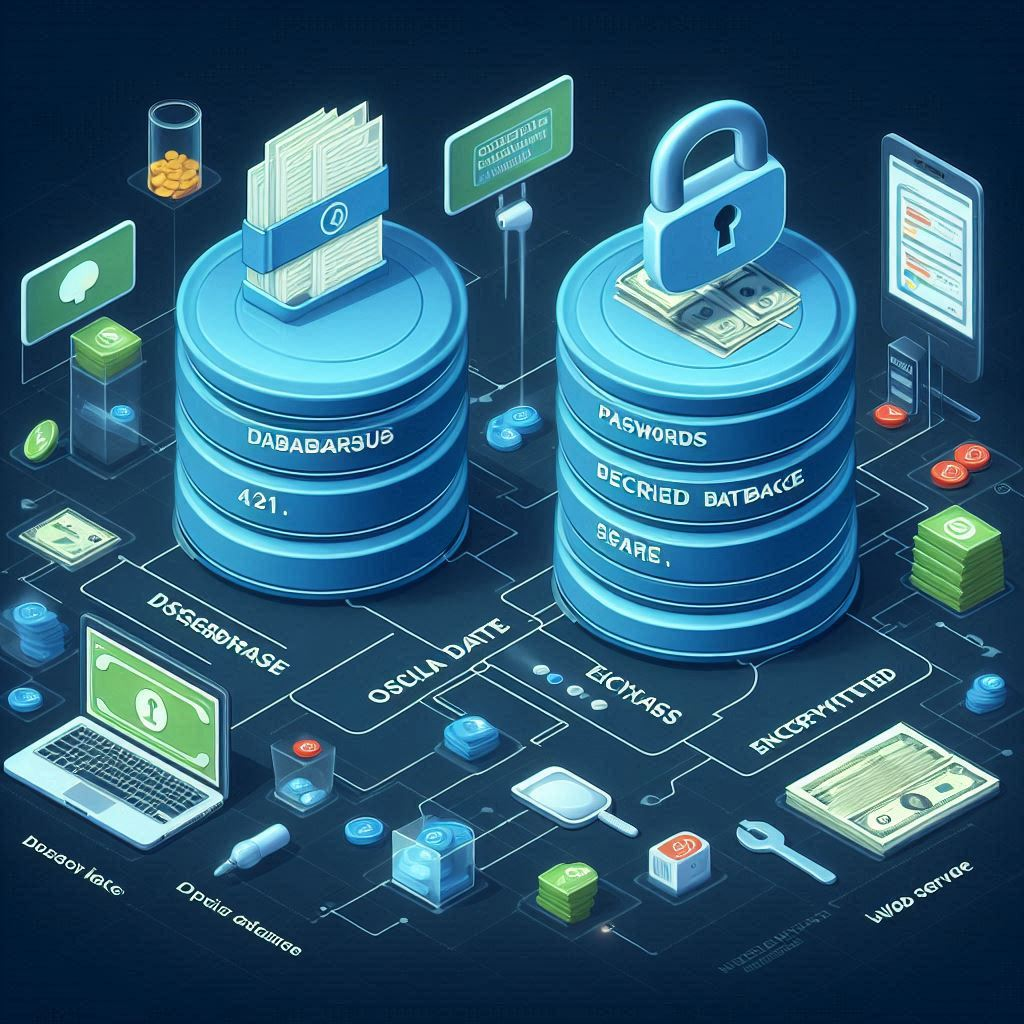
Secured Database Prompt
Display two databases. One database is easily accessible. The other database is a secured database (aka vault) dedicated to storing encrypted data such as passwords, credit card information, medical records, and other sensitive information. A web server can access both databases, but needs a special key to access the encrypted database.


The other part of the equation is… me. Anyone who hold access to secrets is a potential attack vector weather it’s through social engineering or a physical brawl. We will eventually need to design the system to protect it from people who have access, but have been compromised – willing or unwillingly. This is why I often use password managers. I don’t know my own passwords. However – I do know how to log into my computer, and log into the password manager. A high level of encryption is useless if you can find another way to get at the data.


Encrypted Database
Can we encrypt the database itself? This is often referred to as “Encryption at rest”. Accessing the data is not encrypted, but the database files on the file system are encrypted.
For the database itself, I’m finding references to a command line utility mysql_ssl_rsa_setup that will create certificates (PEM files).
mysql_ssl_rsa_setup --datadir=/path/to/ssl_files
# /path/to/ssl_files/server-key.pem
# /path/to/ssl_files/server-cert.pem
# /path/to/ssl_files/ca.pem
It looks like we are working with asymmetric keys with RSA. My guess is that the server-cert is the public key. I usually associate CA with a certificate authority. I haven’t run the utility, but is it creating a separate certificate that needs to be trusted as a CA? I don’t know how to trust a certificate via the command line, but I recall that I had to jump through a lot of hoops when trusting certificates within my certificate manager when I was initially setting up the Web App locally.
In addition to all of this, I would need to modify the MySQL configuration files (my.cnf and my.ini) to include the path to the files, and then restart the MySQL server. I’m on a shared host… this is not doable.
Can we encrypt our connection to it? Yes – in the same way. The server would need certificates first. Then PHP can connect to it.
$mysqli = new mysqli($servername, $username, $password, $database);
$mysqli->ssl_set($ssl_key_path, $ssl_cert_path, $ca_cert_path, NULL, NULL);
$mysqli->real_connect($servername, $username, $password, $database);
For database encryption and secured connections, I’ll need to wait for my service to become profitable and move to a virtual or dedicated server to be able to setup encryption on the database itself.

Encrypting Tables
Can we encrypt tables? The access to the tables wouldn’t be encrypted, but the data stored on the file system would be. This prevents hackers from grabbing the database files and loading them with their own database, or reading the files binary contents.
I’m seeing references to creating encrypted tables in the following manor.
CREATE TABLE my_table (
  value VARCHAR(32)
) ENCRYPTION = 'Y';
The “Encryption” keyword doesn’t work on MariaDB (10.11.7-MariaDB-cll-lve). It appears that MariaDB 10.1 introduced encryption. The syntax is a little different.
CREATE TABLE my_table (
  value varchar(32)
)
ENGINE=InnoDB
ENCRYPTED=YES
ENCRYPTION_KEY_ID=2;
-- #1005 - Can't create table `my_table` (errno: 140 "Wrong create options")
Reviewing the documentation on innodb encryption, it appears that I would need to configure the server to support encryption by loading a file_key_management plugin, defining where the keys are located, and turn on various encryption settings.
[mariadb]
plugin_load_add = file_key_management
file_key_management_filename = /etc/mysql/encryption/keyfile.enc
file_key_management_filekey = FILE:/etc/mysql/encryption/keyfile.key
file_key_management_encryption_algorithm = AES_CTR
innodb_encrypt_tables = ON
innodb_encrypt_temporary_tables = ON
innodb_encrypt_log = ON
innodb_encryption_threads = 4
innodb_encryption_rotate_key_age = 1
I don’t have access to administrate the MySQL service, so again – I can not proceed further at this time.
Encrypted Columns
Can we encrypt a column? You can encrypt the data yourself, but you can’t mark an individual column as being encrypted so that storing data on the file system is encrypted.
No Encryption At Rest
We don’t have any features available to encrypt our data when its stored on the file system. In fact, there is a lot of chatter about the lack of effectiveness for “Encryption At Rest”. It’s only protecting your data on the file system. Anyone who has access to the file system may already have access to the keys as well. The configuration files already point them to where the encryption keys are located. The key management is the most important aspect of how effective encryption at rest is. If the keys are on the same file system, it becomes a single point of failure. Other potential problems are employees. My host has access to anything I upload. If I hired someone to manage the website – they too have access to this information. The argument is that “Encryption at Rest” is purely for regulatory compliance to fill in a checkbox. The actual database server is up 24/7, and available to have raw data queried or exported without any encryption.

Is it effective? If someone physically steals the database file, or hard drive, they may not have access to the key to decrypt the data. If we have some kind of compliance regulation, it protects us from failing. It reduces an attack surface – a small one, but still, it helps a little. I guess.
Encrypting Data
With encryption on the connection, database, tables, and columns being unavailable, we are limited to a bare-bones approach to protecting our data. We would still be doing this regardless if the database supported encryption. As it stands, anyone that gets ahold of our database files can see everything without additional effort. The same is also true for anyone that queries our database. We could create some procedures responsible for decrypting/encrypting data. For years I’ve been limited to base64 and MD5 hashing. Base 64 is encoding – not encryption as you don’t need a key to decode it. And MD5… well, let’s just say that with all of the collisions, they’ve been compromised.

This new version of MariaDB exposes some of the new MySQL functions available to us after 5.x – specifically with encryption.
The first is AES_ENCRYPT which uses Advanced Encryption Standard (AES) to encrypt the data.
SELECT AES_ENCRYPT(
  'sensitive_data',
  'encryption_key'
);
-- 0x218f82c48d113fcae0246781c743f12d
SELECT AES_DECRYPT(
  0x218f82c48d113fcae0246781c743f12d,
  'encryption_key'
);
-- sensitive_data
It is of note that the prior example is horrible for encryption due to the key length. Since it’s not a typical size, it will be null-padded. AES keys are typically 128, 192, or 256 bits (16, 24, and 32 bytes). As your key increases in length, AES goes through more rounds to encrypt the data. There is no special format to AES encryption keys other than the key size. We can create our own keys randomly.
Key Generation
Playing quite a bit of Dungeons and Dragons, the randomness of a dice roll makes a game fun and challenging. Even with dice, we find some, if not all, to be biased in some way. There are companies that create precision dice to reduce potential bias. Even Las Vegas is known for its precision dice with serial numbers for its many casinos. The entropy is important – and its at the heart of cryptography.
We could use RAND() to create our randomized key, but its not cryptographically secure. It is predictable. It’s often an attack vector used to break into systems. Some of the famous exploits of random number generators include Michael Larson memorizing the “random” order in the Press Your Luck gameshow in 1984. Besides gameshows, OpenSSL on Debian Linux had a problem in May 2006 that made keys predictable. Many pseudo random number generators (PRNG) use a pattern with a seed to start the random numbers. Some systems use the current time as that seed. Computers are so predictable, that the search for physical randomness is the new trend for people to find truly random data. I’ve heard of some solutions that use Geiger counters for randomness. Randomness is so important to cryptography that Cloudflare has become well known for their wall of lava lamps used to generate random data.
Lava Lamp Wall Prompt
Display a wall with shelves full of lava lamps of different colors glowing. There is a ridiculous number of lava lamps, A camera is setup watching the lava lamps. A computer is hooked up to the camera and creates secret and cryptographically secure encryption keys based off of what the camera sees.


We need a cryptographically secure random number generator (CSPRNG). MySQL offers a function RANDOM_BYTES() that is cryptographically secure.
SELECT RANDOM_BYTES(32);
-- 0x8ecc6abae0d18c68196aa3b92bcc6b7fa26641911b4062cff266819dce87c508
Initialization Vector
So now we have our encryption, and we have our encryption key. Is that all? No.. You’ll notice that if we encrypt two separate pieces of data with the same key, we get the same result. We need an initialization vector (IV) that is different for each piece of data we are encrypting. If User 1 and User 2 have the same password, this ensures that we get a different cipher text for both passwords. It is also of note that the IV should not be reused if the user changes their password. Each time the data is encrypted, a new IV must be created. The IV is the same size as the encryption key, and it is not encrypted. Its purpose is similar to salt and pepper values when hashing passwords, but rather than being part of the data being hashed, it’s used as part of the encryption key itself.
Normally, the AES_ENCRYPT/AES_DECRYPT functions would accept a third parameter for the initialization vector. Unfortunately, my database doesn’t offer this feature. Perhaps its due to the block encryption mode.
Block Encryption
We’ve already talked about key length, but we didn’t go over the block cipher mode of operation. By default, MySQL uses AES-256-ECB (ECB = Electronic Codebook). The industry standard is to use cipher block chaining (CBC) where the output of the first block is used as the initialization vector of the next block. How does this help us? With a 256 bit key, our block is 32 bytes. If I created a 32 character string and pasted it repeatedly, you would see a pattern emerge in ECB where every 32 bytes of encrypted data would be the same. With CBC, the encrypted block is used as the next initialization vector and everything appears random.
Block Encryption Mode Comparison Prompt
Demonstrate the difference between AES 256 block encryption with Electronic Cookbook (ECB) versus Cipher Block Chaining (CBC) where an Initialization Vector (IV) is XOR’d with the 256-bit encryption key initially, and the encrypted ciphertext is used as the initialization vector for the next block of data to decrypt.


Microsoft Designer Image Creator
Usually this is altered by setting the block encryption mode, but I am unable to see or modify this setting:
SET block_encryption_mode = 'aes-256-cbc';
-- #1193 - Unknown system variable 'block_encryption_mode'
SHOW VARIABLES where Variable_name = 'block_encryption_mode';
SELECT @@GLOBAL.block_encryption_mode;
Time for some testing…
SELECT AES_ENCRYPT(
    '123456789012345678901234567890__123456789012345678901234567890__',
    0xd54f6d738a38f5f070f3356d67a8494065a0cf45747d43bccaf615a604f52c4e
);
-- 0x
-- 733d18d045f218be5ae84059ed9da4f2 919eab9f701ccb5c610eb8268647c48c
-- 733d18d045f218be5ae84059ed9da4f2 919eab9f701ccb5c610eb8268647c48c
-- 413ac533d21d5b4ff66053fbc5b78e67
Sure enough, the pattern emerged. I created a 32 character long string and duplicated it. From the encrypted output, I can tell that the first 32 bytes matches the next 32 bytes. We also got a lot of garbage tacked onto the end.

Another test I did was to only change one character in the original text at the end, but keep the same encryption key.
SELECT AES_ENCRYPT(
    '123456789012345678901234567890_!123456789012345678901234567890_!',
    0xd54f6d738a38f5f070f3356d67a8494065a0cf45747d43bccaf615a604f52c4e
);
-- 0x
-- 733d18d045f218be5ae84059ed9da4f2 14431cea7734601db8f5dae6dea4cb3d
-- 733d18d045f218be5ae84059ed9da4f2 14431cea7734601db8f5dae6dea4cb3d
-- 413ac533d21d5b4ff66053fbc5b78e67
Amazing! Without the encryption key, you could deduce that various records start with the same letters. This is why encryption alone is not enough. IV is important.
I’m noticing the same value at the end as my first test, and that the blocks seem to actually be about 16 bytes long. Lets test the theory to see if my encryption key is being truncated to 16 bytes.
Well, it turns out that the string terminator (NULL) character is included in the encryption. In addition, my keys are in fact being truncated to 16 bytes.
-- two 16 byte blocks of text encrypted with 256 bit key
SELECT AES_ENCRYPT(
    '123456789ABCDEF_123456789ABCDEF_',
    0xd54f6d738a38f5f070f3356d67a8494065a0cf45747d43bccaf615a604f52c4e
);

-- Results in two repeated 16 byte blocks, and extra data
-- 0x
-- 68283b8408e37f24e9b57b1a96d76768
-- 68283b8408e37f24e9b57b1a96d76768
-- 413ac533d21d5b4ff66053fbc5b78e67

-- Removed the last character from the text
SELECT AES_ENCRYPT(
    '123456789ABCDEF_123456789ABCDEF',
    0xd54f6d738a38f5f070f3356d67a8494065a0cf45747d43bccaf615a604f52c4e
);

-- The extra padded block is now gone, the second block now includes a NULL string terminator
-- 0x
-- 68283b8408e37f24e9b57b1a96d76768
-- a2e8a086e7d6a4b2223c58228bbc4886

-- Repeat all text to see if block is smaller than 128 bits
SELECT AES_ENCRYPT(
    'AAAAAAAAAAAAAAAAAAAAAAAAAAAAAAAAAAAAAAAAAAAAAAA',
    0xd54f6d738a38f5f070f3356d67a8494065a0cf45747d43bccaf615a604f52c4e
);
-- 0x
-- 3136c4f6e207549875bba7c38e27ea9c
-- 3136c4f6e207549875bba7c38e27ea9c
-- 7ce38bb7eb303ddf51a129d73bfb93c0
I tried adjusting my key length to 128 bit and 192 bits, but the output kept changing. I was even able to use keys larger than 256 bits with different output. I then decided to change all characters to the same letter. All throughout, the encrypted block size remained at 128 bits. With this behavior, I could add the IV key to the end of my encryption key to get different results for each piece of encrypted data to get different results, but we still have the problem with the block mode of operation revealing starting characters that match other blocks.
Although it’s beneficial that these encryption algorithms are available in MySQL – they expose too much risk. The data will need to be encrypted outside of the database (Application Level Encryption). Although it adds a layer of complexity and performance overhead, this is probably ideal as the database never has access to the decrypted data or its keys. Our keys will need to be managed elsewhere, potentially in the secrets manager.
Identity
One way to help protect the encrypted data would be just to use Universally/Globally Unique Identifiers (UUID/GUID) with each piece of encrypted data rather than the ID from a user/credit card record. Their shouldn’t be any remote foreign keys in our secured database. The applications main database would just have the vaults UUID instead of an encrypted/hashed password/number.
The whole ordeal about identities brings me to my next problem with UUID version 1, which is available in MySQL and MariaDB. GUID/UUID are used for the same thing, have the same number of bytes, and the string formatted the same way with hex values and dashes leaving groups of 8, 4, 4, 4, and 12 hexadecimal characters. The algorithms and byte order to generate the id’s are different, and GUID’s are used more often with Microsoft systems.
UUID Version 1 uses timestamps as the first part of the UUID to help ensure its uniqueness. Anyone who gets their hands on the database could query the ID’s and work out the time that each record was created. Someone could work out sequential data created at the same time (or close to it) to work out any information that is potentially related if they are stored in separate records – Credit Card Number, Expiration Date, CRC, Zip Code. In a database with trillions of credit cards, it only takes one compromised set of information to ruin a business and someones credit.
UUID v1 Prompt
Demonstrate the architecture of a version 1 UUID of hexadecimal numbers separated by dashes. It should label each section where the first 18 characters represent a “Timestamp” (Which is can be associated with a clock, calendar, or stopwatch), the middle section represents a “Clock Sequence” (such as CPU Cycles), and the last 12 characters represent a “Node” (Such as a Server, Device, Machine, MAC address). The main focus should be a hexadecimal string in the format of “hhhhhhhh-hhhh-1hhh-9hhh-hhhhhhhhhhhh” with labels pointing to the different sections. The various parts (timestamp, clock sequence, node) should be color coded or highlighted. The hexadecimal value for the 15th character represents the “Version”, and should be a 1. The 20th character (the first part of the clock sequence) should be labeled as “Variant” and its value is usually “8”, “9”, “a”, or “b”. The timestamp is combined to indicate the number of 100-nanosecond intervals since the epoch starting October 15, 1582 at midnight UTC when the Gregorian Calendar was adopted. You can be creative showing icons related to the different parts, but the UUID should be clear and the man focus. This is a technical description on a technical blog post talking about the architecture of the UUID.


Microsoft Designer Image Creator
Unfortunately, some auditing policies would also require storing when the data was created or last accessed to determine when data can be discarded due to retention policies. Other policies may need to know when the data was last accessed, the reason, and who accessed it. This makes my whole argument against UUID version 1 mute since created_at dates would reveal when multiple records were created sequentially. It may be more ideal to store an encrypted JSON object of multiple values for a credit card, rather than storing across individual records.
What about UUID version 1 in the applications database? Version 1 also stores a node or MAC address. We could potentially show the user the date when the information was created. Furthermore, if the secured database were ever to be sharded, we could access a different database based on the MAC address, allowing us to distribute the load when the encrypted information is requested.

Reflecting on this, there are cases where UUID version 1 is ideal compared to version 4 which primarily contains random values. UUIDv4 is ideal when you are in the wild creating your own UUID on your own that later needs to merge into other systems, and sequential dates/mac addresses are either not ideal to reveal or store with that information, or you need to reduce the possibility of collisions. For example – a public QR code of a UUID could reveal when the item was created and who created it. If you find multiple QR codes, you could deduce that the same person created them. You could attempt to create multiple QR codes to “find” items that the user created. Although the pool of possible combinations would still be large. For every 100 nanoseconds, there are 16,384 possible clock sequences to provide the UUID it’s uniqueness on the same machine. In this case, using UUID version 4 would not reveal the time or a unique machine/creator. Since the identity for our vault is internal, UUID version 1 is still ideal in our situation, but version 4 will come into play at a later time to help with privacy.
In some cases, our tables simply need to store cryptographic data where the the ability to guess the id of the next record doesn’t matter. This is the case with storing VAPID private keys. We will only have one active VAPID key.
Table Structure
Our first set of sensitive data to encrypt are our VAPID keys for sending web push notifications. We need the capability to revoke the keys if they are compromised, have an expiration date, and have a pending activation date to take over when a key is about to expire. Although VAPID keys themselves can not expire or be revoked, we can treat them as such to ensure our keys are rotated over time in case one was compromised without our knowledge.
-- Application Database
CREATE TABLE vapid_keys (
    id CHAR(36) DEFAULT UUID() PRIMARY KEY,
    key_id INT NOT NULL,
    public_key BINARY(65),
    private_key_id INT, -- Vault Database vapid_keys.id
    created_at TIMESTAMP DEFAULT CURRENT_TIMESTAMP,
    valid_at TIMESTAMP,
    expires_at TIMESTAMP,
    revoked_at TIMESTAMP,
    deleted_at TIMESTAMP,
    INDEX idx_key_id (key_id),
    INDEX idx_created_at (created_at),
    INDEX idx_expires_at (expires_at),
    INDEX idx_revoked_at (revoked_at),
    INDEX idx_deleted_at (deleted_at)
);

-- Secured Database
CREATE TABLE vapid_keys (
    id INT AUTO_INCREMENT PRIMARY KEY,
    encryption_key_id INT NOT NULL,
    iv BINARY(32),
    private_key BINARY(16),
    created_at TIMESTAMP DEFAULT CURRENT_TIMESTAMP,
    accessed_at TIMESTAMP,
    deleted_at TIMESTAMP,
    INDEX idx_key_id (encryption_key_id),
    INDEX idx_created_at (created_at),
    INDEX idx_accessed_at (accessed_at),
    INDEX idx_deleted_at (deleted_at)
);
With the above tables, we are able to store the VAPID private key in the vault and record when it was last accessed. We can implement a data retention policy on both tables using the deleted_at column, and provide the ability to undo any accidental deletions. The encryption_key_id is used to identify which encryption key was used to encrypt the data, allowing us to rotate keys over time and/or use more than one encryption key to protect the data. The iv is stored to further obfuscate the encrypted data.
Auditing
What is auditing? It’s the ability to log who accessed and modified data within the database, what was changed, and when. Through various means, you may be able to detect if your system was compromised. For the most part, its a “set it and forget it” task, similar to a crock pot.

How do you audit a database?
Many databases offer auditing built-in. The enterprise version of MySQL offers it as well Microsoft SQL Server. With a shared hosting provider, we are fairly restricted in what we can setup since we aren’t managing the server ourselves. The best we can do is setup auditing via insert/update/delete triggers.
CREATE TABLE audit_log (
    id INT AUTO_INCREMENT PRIMARY KEY,
    table_name VARCHAR(255) NOT NULL,
    record_id INT NOT NULL,
    action ENUM('INSERT', 'UPDATE', 'DELETE', 'SELECT') NOT NULL,
    user_id INT NOT NULL,
    timestamp TIMESTAMP DEFAULT CURRENT_TIMESTAMP,
    old_data JSON,
    new_data JSON
);
From here, we add triggers to every table that we want to audit.
DELIMITER //

CREATE TRIGGER vapid_keys_after_insert
AFTER INSERT ON vapid_keys
FOR EACH ROW
BEGIN
    INSERT INTO audit_log (
        table_name,
        record_id,
        action,
        user_id,
        old_data,
        new_data
    )
    VALUES (
        'vapid_keys',
        NEW.id,
        'INSERT',
        @current_user_id,
        NULL,
        JSON_OBJECT(
            'id', NEW.id,
            'encryption_key_id', NEW.encryption_key_id
        )
    );
END

//

CREATE TRIGGER vapid_keys_after_update
AFTER UPDATE ON vapid_keys
FOR EACH ROW
BEGIN
    INSERT INTO audit_log (
        table_name,
        record_id,
        action,
        user_id,
        old_data,
        new_data
    )
    VALUES (
        'vapid_keys',
        NEW.id,
        'UPDATE',
        @current_user_id,
        JSON_OBJECT(
            'id', OLD.id,
            'encryption_key_id', OLD.encryption_key_id,
            'created_at', OLD.created_at,
            'deleted_at', OLD.deleted_at,
            'accessed_at', OLD.accessed_at
       	),
        JSON_OBJECT(
            'id', NEW.id,
            'encryption_key_id', NEW.encryption_key_id,
            'created_at', NEW.created_at,
            'deleted_at', NEW.deleted_at,
            'accessed_at', NEW.accessed_at
        )
    );
END

//

CREATE TRIGGER vapid_keys_after_delete
AFTER DELETE ON vapid_keys
FOR EACH ROW
BEGIN
    INSERT INTO audit_log (
        table_name,
        record_id,
        action,
        user_id,
        old_data,
        new_data
    )
    VALUES (
        'vapid_keys',
        OLD.id,
        'DELETE',
        @current_user_id,
        JSON_OBJECT(
            'id', OLD.id,
            'encryption_key_id', OLD.encryption_key_id,
            'created_at', OLD.created_at,
            'deleted_at', OLD.deleted_at,
            'accessed_at', OLD.accessed_at
       	),
        NULL
    );
END

//

DELIMITER ;
One thing we need to determine is the data being logged. Although the private_key is encrypted, do we want to log it? Can we just log the fact that the private_key changed or not?

At the moment, we have a problem. @current_user_id is null. MySQL supports USER(), CURRENT_USER(), SESSION_USER() and SYSTEM_USER() which represent the database username and host that the current session is running under. In order to use @current_user_id, we need to set it before making our queries via SET @current_user_id. This allows us to log a user account that is accessing the website. But – what if the @current_user_id is null? We can guard our tables from accepting insert/update/deletes if the id is not provided.
DELIMITER //

CREATE TRIGGER vapid_keys_before_insert
BEFORE INSERT ON vapid_keys
FOR EACH ROW
BEGIN
    IF @current_user_id IS NULL THEN
        SIGNAL SQLSTATE '45000' SET MESSAGE_TEXT = 'Missing @current_user_id';
    END IF;
END

//

CREATE TRIGGER vapid_keys_before_update
BEFORE UPDATE ON vapid_keys
FOR EACH ROW
BEGIN
    IF @current_user_id IS NULL THEN
        SIGNAL SQLSTATE '45000' SET MESSAGE_TEXT = 'Missing @current_user_id';
    END IF;
END

//

CREATE TRIGGER vapid_keys_before_delete
BEFORE DELETE ON vapid_keys
FOR EACH ROW
BEGIN
    IF @current_user_id IS NULL THEN
        SIGNAL SQLSTATE '45000' SET MESSAGE_TEXT = 'Missing @current_user_id';
    END IF;
END

//

DELIMITER ;
Depending on any security compliance or monitoring policies, we could log the failure as well. In the mean time, let’s try to insert a new row without a user id.
INSERT INTO vapid_keys (
    encryption_key_id,
    iv,
    private_key
) VALUES (
    231,
    RANDOM_BYTES(32),
    RANDOM_BYTES(16)
);

-- #1644 - Missing @current_user_id
With this query, our vapid_keys table didn’t have any rows inserted because the @current_user_id wasn’t set. Now let’s try again by specifying the user.
SET @current_user_id = 5;

INSERT INTO vapid_keys (
    encryption_key_id,
    iv,
    private_key
) VALUES (
    231,
    RANDOM_BYTES(32),
    RANDOM_BYTES(16)
);
-- 1 Row Inserted
Our row was inserted, and the audit_log table has a new log for the action we just performed.
One other thing we can do with triggers is validate our data. We know that IV values should not be reused. For the BEFORE UPDATE trigger, if the OLD.private_key is not the same as the NEW.private_key, we can reject the insert if OLD.iv is the same as NEW.iv.
DROP TRIGGER vapid_keys_before_update;

DELIMITER //

CREATE TRIGGER vapid_keys_before_update
BEFORE UPDATE ON vapid_keys
FOR EACH ROW
BEGIN
    IF @current_user_id IS NULL THEN
        SIGNAL SQLSTATE '45000' SET MESSAGE_TEXT = 'Missing @current_user_id';
    END IF;

    IF OLD.iv = NEW.iv AND OLD.private_key != NEW.private_key THEN
        SIGNAL SQLSTATE '45000' SET MESSAGE_TEXT = 'Changed private key with same IV';
    END IF;
END

//
DELIMITER ;
We could make sure that UPDATES don’t allow the created_at field to be changed. However, we need to stop with the triggers for now and move on.

You’ve probably already noticed – what about logging access when selecting records? We don’t have the ability to setup a trigger for that. If we controlled the server itself, we could turn that on. If you want to log who is accessing the data, then it would be ideal to do that through procedures. You could create a transaction that not only selected the records, but then updates the audit_log table indicating who selected those records before returning them to the end-user.
For selecting one record, this is fairly simple. We can even log that it was accessed through a specific procedure.
DELIMITER //
CREATE PROCEDURE sp_vapid_key_select(
    IN p_id INT
)
BEGIN
    DECLARE v_encryption_key_id INT;
    DECLARE v_iv BINARY(32);
    DECLARE v_private_key BINARY(16);
    DECLARE v_id INT;

    SELECT
    	id,
        encryption_key_id,
    	iv,
        private_key
    INTO
    	v_id,
        v_encryption_key_id,
    	v_iv,
        v_private_key
    FROM
    	vapid_keys
    WHERE
    	id = p_id
        AND deleted_at IS NULL
    LIMIT 1;

  	IF v_id IS NOT NULL THEN
        INSERT INTO audit_log (
            table_name,
            record_id,
            action,
            user_id,
            old_data,
            new_data
        ) VALUES (
            'vapid_keys',
            p_id,
            'SELECT',
            @current_user_id,
            NULL,
            JSON_OBJECT(
                'id', p_id,
                'proc', 'sp_vapid_key_select'
            )
        );
	END IF;

    SELECT
    	v_id AS id,
        v_encryption_key_id AS encryption_key_id,
        v_iv AS iv,
        v_private_key as private_key
        ;

END//
DELIMITER ;
And we can call the procedure after specifying the user.
SET @current_user_id = 5;
CALL sp_vapid_key_select(2);
-- Selects:
-- id: 2
-- encryption_key_id: 231
-- iv: 0x2c84e5cf4cfe02c325a34447c603fb335950186967fe8272
-- private_key: 0x59c745b2d7d3ab49496fc8698000f62a

Well… that’s great for selecting one record. What if I need more than one? Glad you asked! For multiple records, we could start delving into the realm of cursors and temporary tables. It’s a two-step process where we need to log what was selected before we let the end-user see the data.
In a database with much activity, we need to account for the possibility that a row may be inserted/updated/deleted while we are logging the results. A subsequent query to select the data to return to the user could end up returning different results. A cursor is able to read through a snapshot of data without being affected by completed transactions while it iterates over the rows. If we have a subsequent query after processing the cursor, then we need to ensure that we have a transaction with an isolation level of repeatable read or serializable to ensure the subsequent query sees the same results as the cursor. Unfortunately, this level introduces some overhead by creating a snapshot and potentially impacting performance. To work around this, we can select our data into a temporary location, log what will be returned to the end-user, and then return the result set. MySQL doesn’t offer table variables, but they do have temp tables that are unique to the session.
DELIMITER //

CREATE PROCEDURE sp_vapid_key_select_all()
BEGIN
    DECLARE v_encryption_key_id INT;
    DECLARE v_iv BINARY(32);
    DECLARE v_private_key BINARY(16);
    DECLARE v_id INT;

    DECLARE CONTINUE HANDLER FOR SQLEXCEPTION
    BEGIN
        ROLLBACK;
    END;

    START TRANSACTION;

	CREATE TEMPORARY TABLE temp_vapid_keys (
        id INT,
        encryption_key_id INT,
        iv BINARY(32),
        private_key BINARY(16)
    );

    INSERT INTO temp_vapid_keys (
        id,
        encryption_key_id,
        iv,
        private_key
    )
    SELECT
        id,
        encryption_key_id,
        iv,
        private_key
    FROM
        vapid_keys
    WHERE
    	deleted_at IS NULL
    ORDER BY
    	created_at DESC
    LIMIT 100;

    INSERT INTO audit_log (
        table_name,
        record_id,
        action,
        user_id,
        old_data,
        new_data
    )
    SELECT
        'vapid_keys',
        id,
        'SELECT',
        @current_user_id,
        NULL,
        JSON_OBJECT(
            'proc', 'sp_vapid_key_select_all'
        )
    FROM
        temp_vapid_keys;

    SELECT
        id,
        encryption_key_id,
        iv,
        private_key
    FROM
        temp_vapid_keys;

    DROP TEMPORARY TABLE IF EXISTS temp_vapid_keys;

	COMMIT;

END

//

DELIMITER ;
We are still using a transaction, but not at the higher isolation level. The transaction ensures that the selected rows are logged only if the results are returned. If an error occurs, then the new records in the audit_log is rolled back.
At this point, the most ideal way to guard your tables would be to only allow the websites database account to access stored procedures so that they can’t select data directly from the tables themselves and skip the auditing. The procedures can take are of any additional logic that needs to be performed to audit the tables. If the step to SET @current_user_id is too cumbersome or restrictive, then you could mandate that all procedures require a user_id to be provided to them for auditing instead.
PHP Encryption
At this point we’ve discovered that we can’t encrypt our connection, database, tables, or columns, and that the provided functions for the database to encrypt data are not cryptographically secure. We’ve setup a table to store an encrypted value, encryption key identifier, and an initialization vector. We’ve setup table triggers to log when the data has been inserted, updated, and deleted. And finally, we setup a procedure to audit when data is selected. We are ready to encrypt our data in PHP.
PHP Encryption Prompt
Demonstrate the features of encrypting in PHP using OpenSSL. openssl_random_pseudo_bytes is used to create an AES 256-bit encryption key. openssl_cipher_iv_length is used to create a random Initialization Vector (IV). openssl_encrypt uses the encryption key and iv to encrypt a secret message. openssl_decrypt uses the encryption key and iv to decrypt the secret message. All of this is done with AES-256-CBC so that the iv is xor with the encryption key for the first block, and the encrypted result is used as the iv for the subsequent block. Encryption is often associated with locks and keys since it is used to secure data from others (man in the middle) that should not be able to discern what the original message was. Characters are usually described as Bob sending an message to Alice, where a person named Malice tries to read or alter the original message.


PHP Key Generation
Similar to MySQL, PHP also offers a function to create random bytes that is cryptographically secure via OpenSSL. We can even encode the key with base64 to help represent it better.
$key = openssl_random_pseudo_bytes(32);
$encoded = base64_encode($key);
echo "Generated Key: $encoded";
OpenSSL allows us to use the aes-256-cbc method as well as an initialization vector.
<?php
if (extension_loaded('openssl')) {
  $key = openssl_random_pseudo_bytes(32);
  $data = "This is a secret message.";
  $iv = openssl_random_pseudo_bytes(openssl_cipher_iv_length("aes-256-cbc"));
  $encrypted = openssl_encrypt($data, "aes-256-cbc", $key, 0, $iv);
  $decrypted = openssl_decrypt($encrypted, "aes-256-cbc", $key, 0, $iv);

  echo "Original Data: $data<br />\n";
  echo "Key: ".base64_encode($key)."<br />\n";
  echo "iv: ".base64_encode($iv)."<br />\n";
  echo "Encrypted: ".base64_encode($encrypted)."<br />\n";
  echo "Decrypted: $decrypted<br />\n";
} else {
  echo "OpenSSL not available";
}
?>
Original Data: This is a secret message.
Key: kilrfbIamQEUYhKANxjdyoJM9mijPfZra8nlUASiGJc=
iv: NL8wUcstb8BRcwyZk6xhew==
Encrypted: WEpKVHBQc3hnak84cGFNUnV2Ync5RTc2ZEhISTAvKzRERlIralFaRTkzZz0=
Decrypted: This is a secret message.
The only thing left to do is store the encryption key in your secrets manager outside of the database and use it to encrypt/decrypt data in the vault. If someone only gets ahold of the vault, they’ll need to work pretty hard to decrypt each value or find another way to access the keys. The secrets manager already encrypts the keys on my file system, and its key is also encrypted in a separate file. The cache manager only stores encrypted data as well. We are slowly building up a secure and robust system…
require_once 'Secrets.php';
$db->executeOnly("SET @current_user_id = ?", "i", 5);
$db->selectRows("sp_vapid_key_select(?)", "i", 2);
foreach($rows as $row) {
  $encryption_key_id = $row["encryption_key_id"];
  $iv = $row["iv"];
  $private_key = $row["private_key"];
  $key = Secrets::reveal("VAULT_KEY_$encryption_key_id");
  $private_key = openssl_decrypt(
    $private_key,
    'aes-256-cbc',
    $key,
    0,
    $iv
  );
  echo "The private key is ".base64_encode($private_key);
}

Since we could end up with a ton of keys in the vault, we could in-turn store the vault keys in the database as well, so long as they were encrypted with a master key. This would allow us to only store the master key as a secret, then request the associated encrypted vault key for each record.
require_once 'Secrets.php';
$vault_key = Secrets::reveal("VAULT_KEY");
$db->executeOnly("SET @current_user_id = ?", "i", 5);
$db->selectRows("sp_vapid_key_select(?)", "i", 2);
foreach($rows as $row) {
  $encryption_key = $row["encryption_key"];
  $encryption_key_iv = $row["encryption_key_iv"];
  $private_key_iv = $row["private_key_iv"];
  $private_key = $row["private_key"];
  $decrypted_key = openssl_decrypt(
    $encryption_key,
    'aes-256-cbc',
    $vault_key,
    0,
    $encryption_key_iv
  );
  $private_key = openssl_decrypt(
    $private_key,
    'aes-256-cbc',
    $decypted_key,
    0,
    $private_key_iv
  );
  echo "The private key is ".base64_encode($private_key);
}
How does this help? It keeps us from polluting the secrets with too many vault keys every time we want to add, remove, or rotate them. The down side is that encryption keys are stored alongside the encrypted data. The upside is that an external piece of information is still required to access the encrypted keys. This still seems like a single point of failure.

If just one key was compromised through a data breach or an insider, all data using that key would be available to decrypt at will. And if they compromised that one key by getting ahold of the master key, then they can decrypt all of the other vault keys. The entire system is compromised. Regardless of how many keys we have, let’s keep them in our secrets manager for now.
Conclusion


MySQL and MariaDB with a shared host is fairly limited in securing the data and the connection to the database. The cryptographic functions that the database offers are not cryptographically secure. Built-in auditing is not possible with a shared host either, and resulted in creating our own ad-hoc auditing system using triggers and restricting direct access to all tables, only allowing interaction with stored procedures to work with the data. Decryption/encryption is handled in PHP and encryption keys are stored in the secrets manager.

Using a shared host is fairly restrictive in the amount of control that you have over securing your own data. You are at the mercy of the host in what modules they offer for PHP, the version of MySQL or MariaSQL, and the features provided. The direction that we are taking is dictated heavily by what’s available. It seems that we are implementing additional security measures that most clients don’t consider or need while keeping performance and scalability in mind. Ideally, this project will become profitable to the point that security may be improved upon by moving to a virtual or dedicated host. We are not storing medical records or credit card information, but there is a goal to implement as much security as possible in the beginning so that it doesn’t become difficult to implement at a later time, raise a few red flags, or suffer a potential data breach.

One response to “Secure Database / Vault”
[…] other day I wast testing AES-128 encryption within MySQL (Read: Secure Database / Vault) and noticed that when encrypting text with exactly 32 characters, it was adding an extra 16 […]